We’re excited to announce a major update to our popular Drug Named Entity Recognition (NER) Python library! This new version (v2.0.0) brings several improvements to make finding drug information in text (named entity recognition) even easier and more accurate.
You can find the project on PyPI and on Github. It’s fully open source with MIT License.
You can install the Python library by typing in the command line:
pip install drug-named-entity-recognition
You can also try the library in your browser on Fast Data Science.
Natural language processing

We have a no-code solution where you can use the library directly from Google Sheets!
You can install the plugin in Google Sheets here.

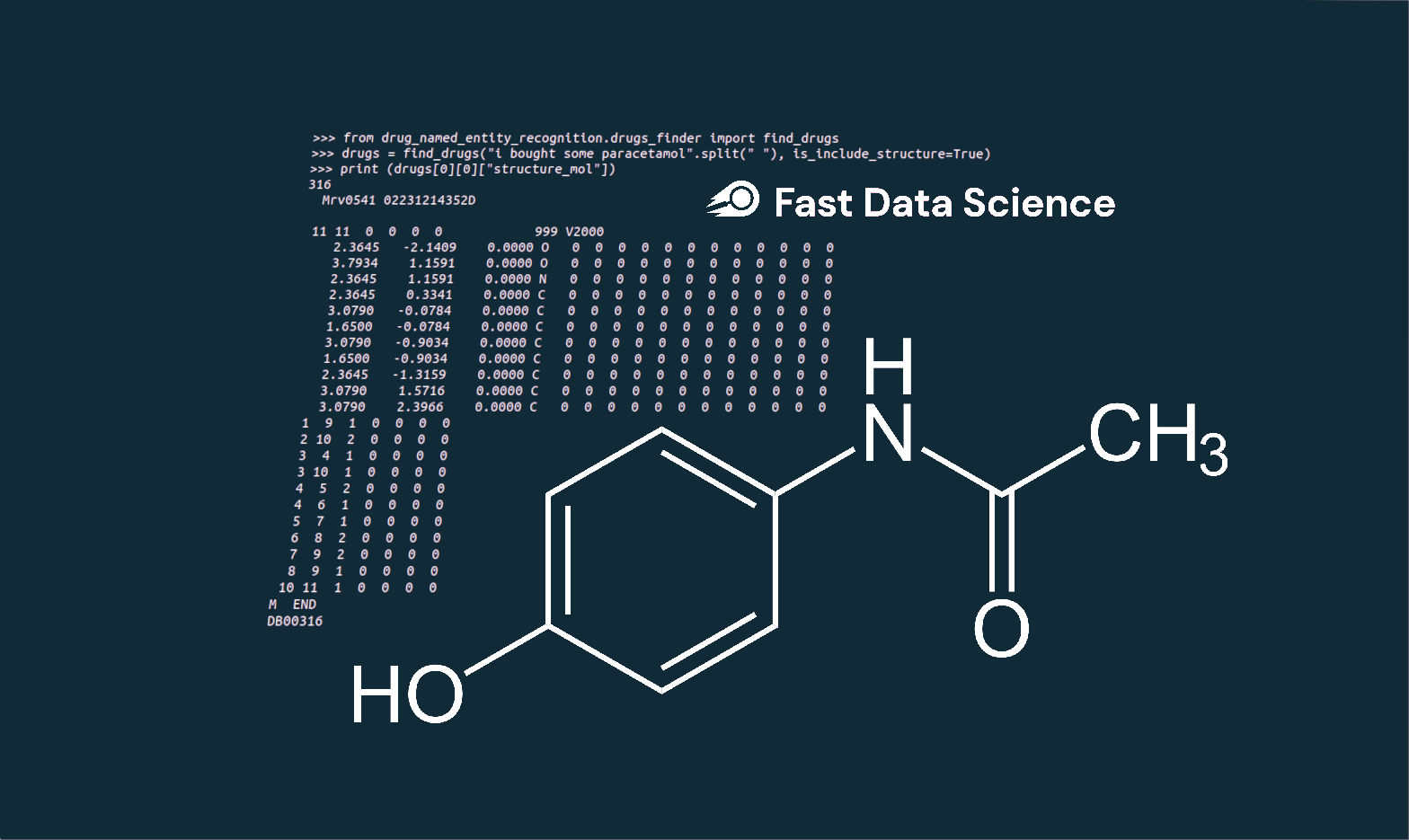
from drug_named_entity_recognition.drugs_finder import find_drugs
drugs = find_drugs("i bought some paracetamol".split(" "), is_include_structure=True)
this will return the atomic structure of the drug if that data is available.
>>> print (drugs[0][0]["structure_mol"])
316
  Mrv0541 02231214352D

 11 11  0  0  0  0            999 V2000
    2.3645   -2.1409    0.0000 O   0  0  0  0  0  0  0  0  0  0  0  0
    3.7934    1.1591    0.0000 O   0  0  0  0  0  0  0  0  0  0  0  0
    2.3645    1.1591    0.0000 N   0  0  0  0  0  0  0  0  0  0  0  0
    2.3645    0.3341    0.0000 C   0  0  0  0  0  0  0  0  0  0  0  0
    3.0790   -0.0784    0.0000 C   0  0  0  0  0  0  0  0  0  0  0  0
    1.6500   -0.0784    0.0000 C   0  0  0  0  0  0  0  0  0  0  0  0
    3.0790   -0.9034    0.0000 C   0  0  0  0  0  0  0  0  0  0  0  0
    1.6500   -0.9034    0.0000 C   0  0  0  0  0  0  0  0  0  0  0  0
    2.3645   -1.3159    0.0000 C   0  0  0  0  0  0  0  0  0  0  0  0
    3.0790    1.5716    0.0000 C   0  0  0  0  0  0  0  0  0  0  0  0
    3.0790    2.3966    0.0000 C   0  0  0  0  0  0  0  0  0  0  0  0
  1  9  1  0  0  0  0
  2 10  2  0  0  0  0
  3  4  1  0  0  0  0
  3 10  1  0  0  0  0
  4  5  2  0  0  0  0
  4  6  1  0  0  0  0
  5  7  1  0  0  0  0
  6  8  2  0  0  0  0
  7  9  2  0  0  0  0
  8  9  1  0  0  0  0
 10 11  1  0  0  0  0
M  END
DB00316
You can get drugs even with spelling mistakes:
drugs = find_drugs("i bought some Monjaro".split(" "), is_include_structure=True, is_fuzzy_match=True)
Now you can modify the drug recogniser’s behaviour if there is a particular drug which it isn’t finding:
To reset the drugs dictionary
from drug_named_entity_recognition.drugs_finder import reset_drugs_data
reset_drugs_data()
To add a synonym
from drug_named_entity_recognition.drugs_finder import add_custom_drug_synonym
add_custom_drug_synonym("potato", "sertraline")
To add a new drug
from drug_named_entity_recognition.drugs_finder import add_custom_new_drug
add_custom_new_drug("potato", {"name": "solanum tuberosum"})
To remove an existing drug
from drug_named_entity_recognition.drugs_finder import remove_drug_synonym
remove_drug_synonym("sertraline")
Ready to take the next step in your NLP journey? Connect with top employers seeking talent in natural language processing. Discover your dream job!
Find Your Dream Job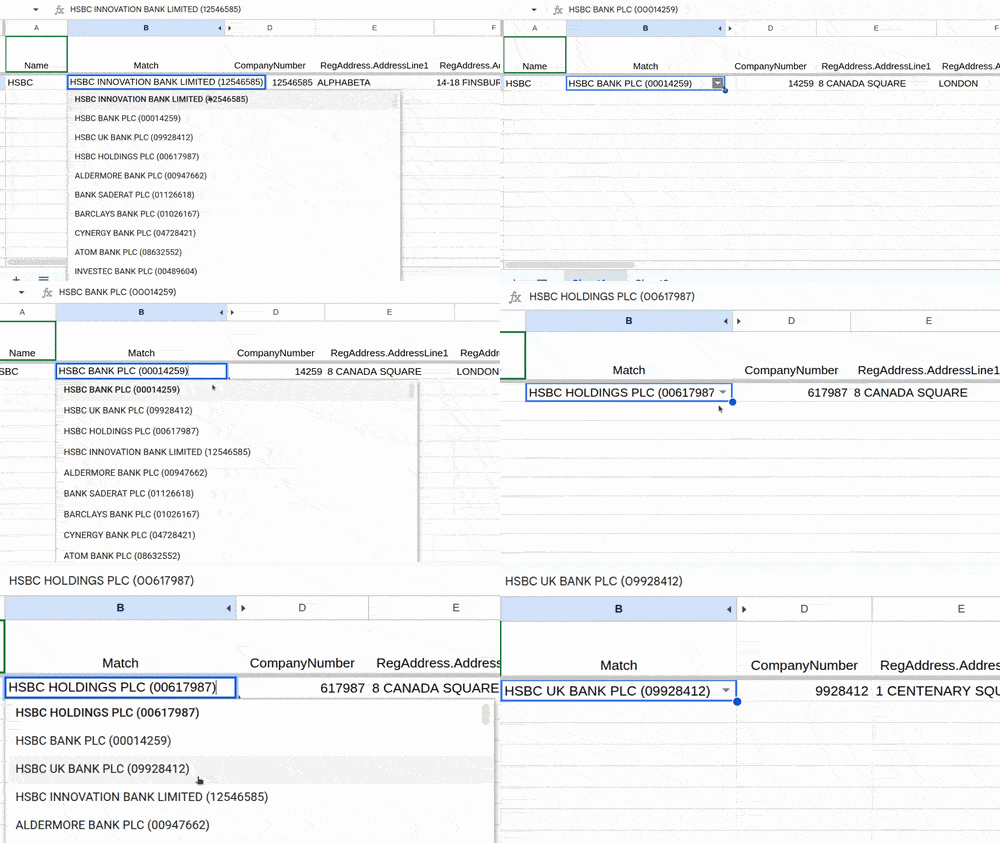
} Fast Data Science are pleased to announce we have updated the UK Company Details Google Sheets™ plugin. The plugin allows you to retrieve details such as company number, incorporation date, address, and directors’ details from Companies House (the UK company registry) and automatically populate them in columns of a Google Sheets™ spreadsheet.
We are all familiar with the general-purpose chatbots like Gemini, GPT, and Claude. Companies and organisations have also been creating internal and external facing special-purpose chatbots, such as those which can book flights, tell you the weather, answer healthcare related queries, or answer questions about government procedures.
What we can do for you