We are all familiar with the general-purpose chatbots like Gemini, GPT, and Claude. Companies and organisations have also been creating internal and external facing special-purpose chatbots, such as those which can book flights, tell you the weather, answer healthcare related queries, or answer questions about government procedures.
When you ask a domain-specific chatbot a question, it will come back with information that a more generalist chatbot such as ChatGPT might not know. For example, a chatbot which has been developed to specialise in English law can give answers relevant to that context, without adding confusing and irrelevant information from US law. An internal company chatbot could be augmented with knowledge about that company’s vacation and paternity leave policy. And a council or local government could have a chatbot augmented with information about recycling collections.
If you want to build a chatbot that has domain specific knowledge, you have three options:
Fine-tune your own model. This is very hard, expensive, and needs huge amounts of data as well as computer hardware. If the domain-specific knowledge that you need in your bot is rapidly changing, such as current affairs, then fine-tuning is not an option - you can’t fine tune a new model every day.
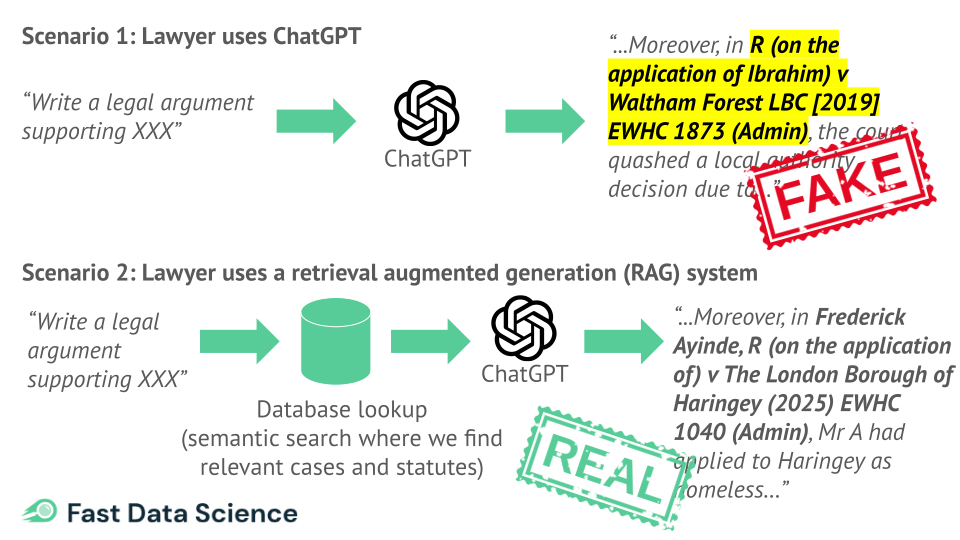
Take a generalist chatbot, such as the models provided by OpenAI, and wrap it with a clever bit of your own code. For every incoming user prompt (“can you explain how to apply for insolvency in England”), you prefix that prompt with data that you have looked up (sections of the Insolvency Act 1986, and details of government forms). The OpenAI chatbot receives a much longer more informative query which is loaded with extra contextual information, and so it’s better placed to give more relevant and up to date information. This is called retrieval augmented generation (RAG). To build the original Insolvency Bot (a chatbot with knowledge of English and Welsh insolvency law), we used RAG.
Take a generalist chatbot and give it a menu of functions that it can call when it needs extra information. For example, you can tell it “you have two functions: list_legislation and retrieve_legislation”, and when a user query comes in, the chatbot is able to identify information that it needs to retrieve. This general approach is called “agentic”, or an AI agent. There are a number of ways to set up an AI agent which can call functions like this, but one approach is becoming the de facto standard: the model context protocol (MCP).
Here is a summary of the three approaches to making a domain specific chatbot:
| Approach to making a domain AI | Latency (how slow is it?) | Effort involved in coding it | Effort involved in maintaining databases e.g. law dataset | Data freshness | Risk of Hallucination |
|---|---|---|---|---|---|
| Fine-tuning an LLM | Low (standard LLM inference speed) | High (Requires GPU training) | You would have to retrain it if the dataset changes | Static (as of training date) | Medium |
| RAG (retrieval augmented generation) | Medium (+100–300ms, you have to add the database lookup time to the LLM response time) | Low to Medium | High (lots of hassle) | Real-time (you can make an API call if necessary to get up to date data) | Low |
| Model context protocol (and other tool calling or agentic approaches) | Medium to high | Low (very easy) | Medium (it’s easy to set up an MCP system where users can update source data) | Real-time (you can make an API call if necessary to get up to date data) | Low |
In the RAG example, a user may ask a question such as “What is our company’s vacation policy”. The RAG system converts this to a query, searches documents for any relevant passages of text, and bundles it together with the original user’s query and sends the new “augmented” query to an LLM. So RAG is like a wrapper around an LLM.
I have set up RAG bots to perform legal question answering and there has been a lot of friction in the process. A subject matter expert is needed to prepare lists of Acts of Parliament or case law, and this has to be entered into spreadsheets, curated, and processed into text chunks in a way that the RAG bot could handle. In addition, I had to write a lot of logic so that when a query comes in, we know which bits of statute to apply - this ended up being a mixture of vector lookups and keyword searches.
The main headache that I found with this approach was the difficulty of keeping a RAG database updated. I had to juggle the code to retrieve relevant documents with the code to actually answer the questions.
Also, the lawyers who provided the list of legal documents that the RAG bot had to look up, had to tag every document with keywords. This created a time consuming task which made it very hard to scale the bot to more jurisdictions.
A model context protocol (MCP) provides a recipe for allowing a large language model to interact with the world in more ways than just looking up information in documents.
You would run an “MCP server”, which is simply a webserver that allows the LLM to contact it and say “give me all documents about X”, or “take this action”. So if the user asks, “What is our company’s vacation policy”, the LLM contacts the MCP server and says “give me all documents relevant to vacation policy”. If the user then says “I would like to book a vacation from 20 to 24 August”, the LLM can also send this request to the MCP server, with the dates converted to a machine readable format such as yyyymmmdd, and actually book the vacation. This is where MCP allows you to go further than what you can achieve with a RAG system.
RAG and MCP are not mutually exclusive approaches - you can build a RAG bot using MCP. The MCP provides a framework to do what the RAG bot does, but much more: for example, I can make my RAG bot pull the most up to date trademark classes from the World Intellectual Property Organisation if the LLM requests it, just by adding an endpoint to my MCP server.
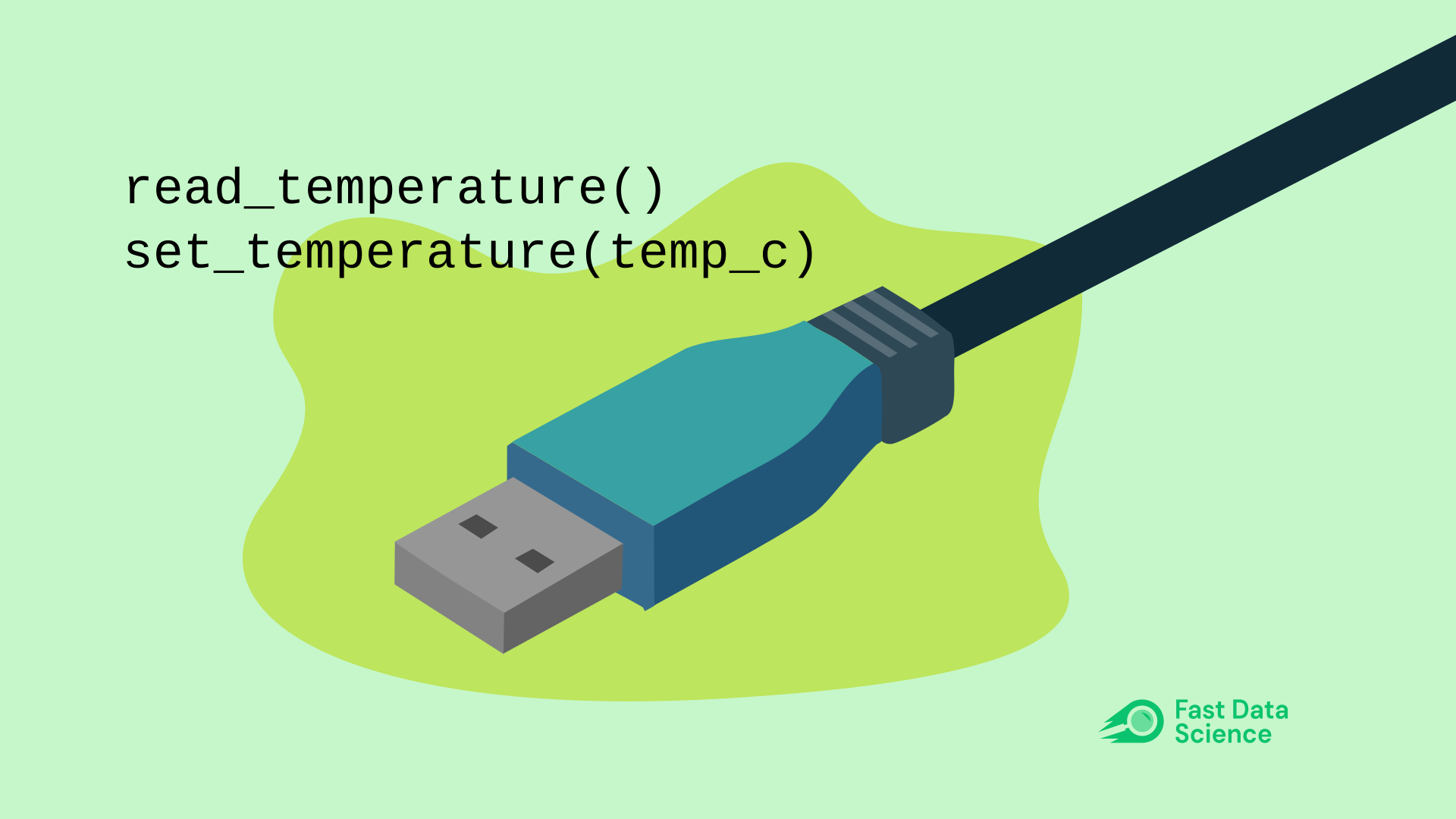
The MCP was created by engineers at Anthropic, but it’s designed as an open standard within the industry for developers to connect AI models to data sources and systems without needing to write custom code each time. It has been described as like the USB-C port for AI applications - it is just a standardised way for AI systems to talk to other systems.
Since we have been building legal information bots, I tried setting up a model context protocol server to serve acts of parliament.
It exposes two actions:
list_available_acts
read_full_act
It ran on my laptop and I was able to connect to it from Python. With the connection, I can see the list_available_acts and read_full_act.
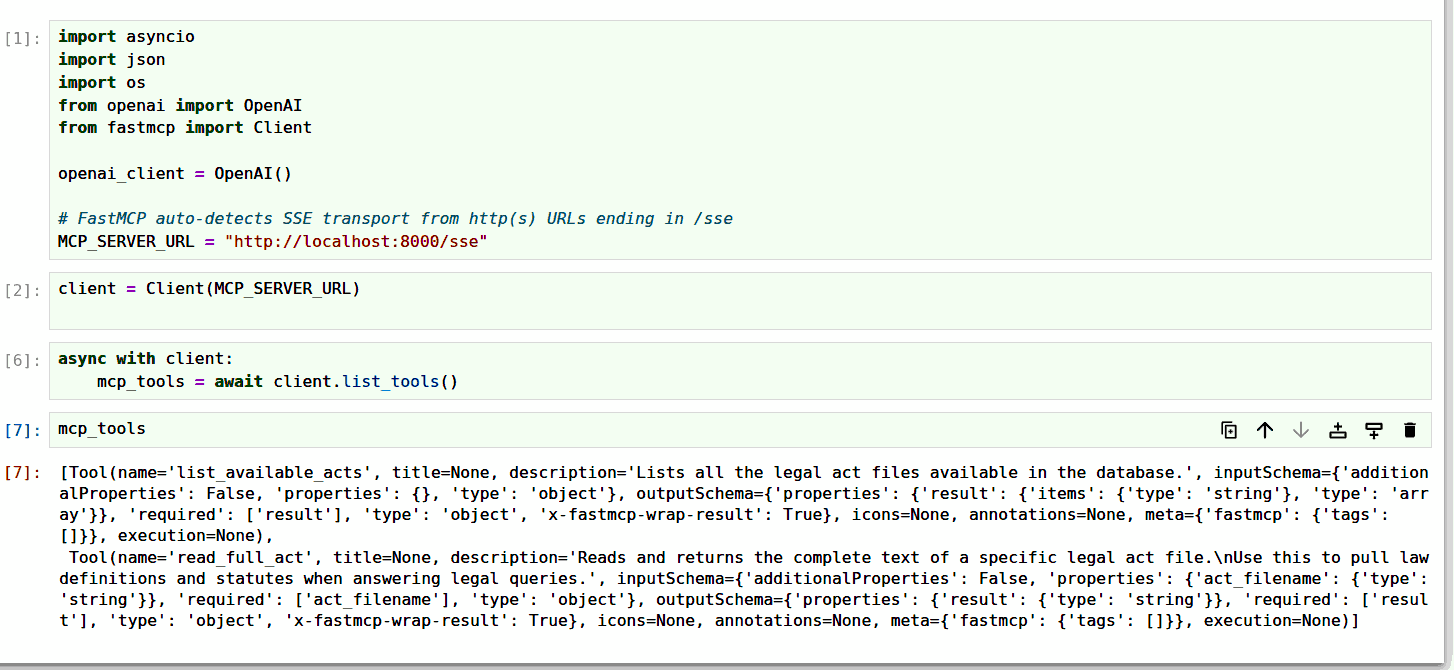
Above: some Python code to connect to an MCP server and list the functions that can be called.
I was then able to connect my OpenAI instance to the Model Context Protocol server.
So I can ask the bot a question like “How can I apply for bankruptcy?”. The bot immediately executes a function call to list_available_acts, decides on a document that it would like to read, and calls read_full_act to pull the information into its context. It then sends a more informed response back to the user.
All of this could be achieved with a RAG system, but the model context protocol allows you to keep your document resources in a separate server, and allow your bot to request multiple documents, or to think, request a document, and think some more. It also makes the separation between your bot and your database easier to maintain.
I found that for building a legal chatbot with model context protocol, I could ask the domain experts to simply dump the relevant documents in a Google Drive folder, and get the model context protocol to list the documents and retrieve them. This made the collaboration with domain experts much easier.
Below I have included a very simple Python program for running an MCP server, which does two things: listing the acts (any file in the folder legal-acts-folder ending in .txt and retrieving the full text of a legal act. If an OpenAI instance is connected to this, it can call the two functions when it needs in order to pull out the relevant data. To run this, you need Python and you need to install FastMCP with pip install fastmcp.
Below is the server code. Save this in a file called mcp_server.py and put some text files in a folder called legal-acts-folder.
import os
from fastmcp import FastMCP

# Instantiate FastMCP without host/port kwargs
mcp = FastMCP("Legal Acts Server")

ACTS_DIR = os.path.join(os.path.dirname(__file__), "legal-acts-folder")


@mcp.tool()
def list_available_acts() -> list[str]:
    """Lists all the legal act files available in the database."""
    if not os.path.exists(ACTS_DIR):
        return []
    return [f for f in os.listdir(ACTS_DIR) if f.endswith(".txt")]


@mcp.tool()
def read_full_act(act_filename: str) -> str:
    """
    Reads and returns the complete text of a specific legal act file.
    Use this to pull law definitions and statutes when answering legal queries.
    """
    file_path = os.path.join(ACTS_DIR, act_filename)
    if not os.path.exists(file_path):
        return f"Error: Act '{act_filename}' not found."

    with open(file_path, "r", encoding="utf-8") as f:
        return f.read()


if __name__ == "__main__":
    # Specify host and port inside run() using SSE transport
    mcp.run(transport="sse", host="0.0.0.0", port=8000)
Below is the client code. Save this in a file called mcp_client.py.
import asyncio
import json
import os
from openai import OpenAI
from fastmcp import Client

openai_client = OpenAI()
MCP_SERVER_URL = "http://localhost:8000/sse"


def parse_mcp_result(mcp_result) -> str:
    if isinstance(mcp_result, str):
        return mcp_result

    if hasattr(mcp_result, "content") and isinstance(mcp_result.content, list):
        text_blocks = []
        for item in mcp_result.content:
            if hasattr(item, "text"):
                text_blocks.append(item.text)
            else:
                text_blocks.append(str(item))
        return "\n".join(text_blocks)

    if isinstance(mcp_result, (dict, list)):
        return json.dumps(mcp_result)

    return str(mcp_result)


async def ask_legal_bot(user_query: str):
    client = Client(MCP_SERVER_URL)

    async with client:
        mcp_tools = await client.list_tools()

        openai_tools = []
        for tool in mcp_tools:
            params = getattr(tool, "parameters", None) or getattr(tool, "inputSchema", None)
            openai_tools.append(
                {
                    "type": "function",
                    "function": {
                        "name": tool.name,
                        "description": tool.description or "",
                        "parameters": params if params else {"type": "object", "properties": {}},
                    },
                }
            )

        messages = [
            {
                "role": "system",
                "content": (
                    "You are a strict Legal AI Assistant. "
                    "CRITICAL: Do NOT simply state that you will read a file or act. "
                    "When you identify a relevant file, IMMEDIATELY call the `read_full_act` tool to load its contents. "
                    "You must perform tool calls to read the files before writing your final legal opinion."
                ),
            },
            {"role": "user", "content": user_query},
        ]

        # First LLM Call
        response = openai_client.chat.completions.create(
            model="gpt-4o",
            messages=messages,
            tools=openai_tools,
            tool_choice="auto",
        )

        response_message = response.choices[0].message

        # Keep executing as long as GPT-4o calls tools
        while response_message.tool_calls:
            messages.append(response_message)

            for tool_call in response_message.tool_calls:
                tool_name = tool_call.function.name
                tool_args = json.loads(tool_call.function.arguments)

                print(f"🤖 [MCP Call] Executing '{tool_name}' with args {tool_args}...")

                mcp_raw = await client.call_tool(tool_name, tool_args)
                tool_output = parse_mcp_result(mcp_raw)

                messages.append(
                    {
                        "role": "tool",
                        "tool_call_id": tool_call.id,
                        "content": tool_output,
                    }
                )

            # Get next response from GPT-4o after giving it the file text
            response = openai_client.chat.completions.create(
                model="gpt-5.4",
                messages=messages,
                tools=openai_tools,  # Keep tools available for subsequent steps
            )
            response_message = response.choices[0].message

        return response_message.content


if __name__ == "__main__":
    question = (
        "What do I need to apply for insolvency in the UK?"
    )
    print(f"\nUser Question:\n{question}\n" + "-" * 50)

    answer = asyncio.run(ask_legal_bot(question))
    print("\nFinal Answer:\n", answer)
In addition to querying information, a model context protocol can take actions - which is something that a RAG architecture doesn’t provide. For example, you could create a model context protocol that would allow the user to send an email, book a flight, or turn the air conditioning up or down.
Below you can try a demo that I have set up. You can ask a bot to set the temperature, query the temperature, turn the coffee machine on or off, or query the coffee machine’s status. The dialogue will display your inputs and the bot’s outputs, as well as any MCP tool calls.
The MCP server has four functions: read_temperature and set_temperature, turn_on_coffee_machine and turn_off_coffee_machine. The set_temperature function call takes an argument temperature_celsius.
You can easily see how a model context protocol based AI or chatbot can be made very powerful indeed, with the ability to execute multiple API calls. It could, for example, query your bank balance, and book your trip according to your budget, all in a single dialogue turn.
This means that MCP based systems can be more complex to set up than RAG bots, but can achieve much more.
In my case, I am finding that they are a very sustainable solution for scaling RAG bots, such as expanding a legal domain chatbot to multiple jurisdictions without needing huge amounts of boilerplate code.
A lot of production systems nowadays are using a hybrid of RAG approaches and tool-calling agents such as MCP.
If you only need to deal with static or semi-static document knowledge, RAG should still meet your needs, although you can achieve this RAG using MCP which I find makes the RAG bot more scalable.
If you need real-time accuracy, or the AI that you are making must interact with the world and take actions, you will achieve better results using an MCP server.
Looking for experts in Natural Language Processing? Post your job openings with us and find your ideal candidate today!
Post a Job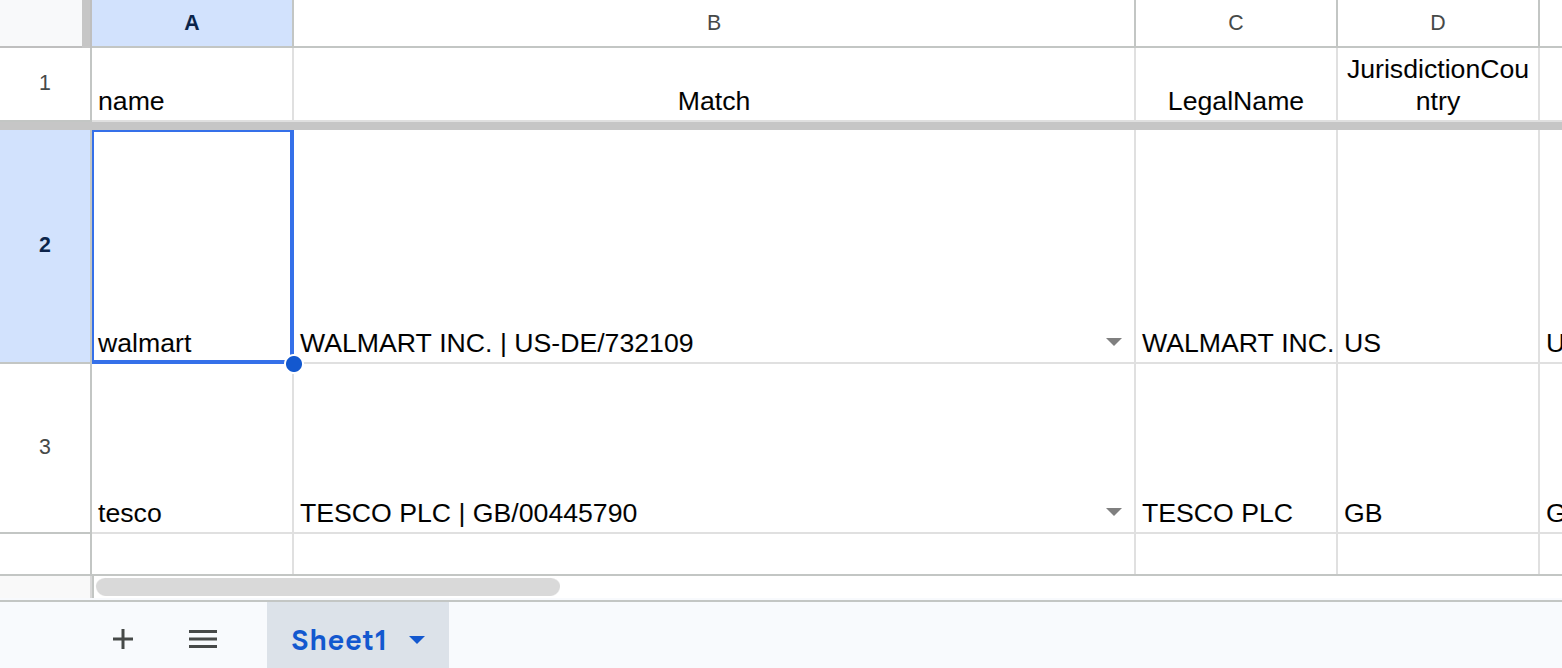
Global Company Data Google Sheets™ plugin Do you need to look up key information about international companies and all you have is the company name and possibly the country?
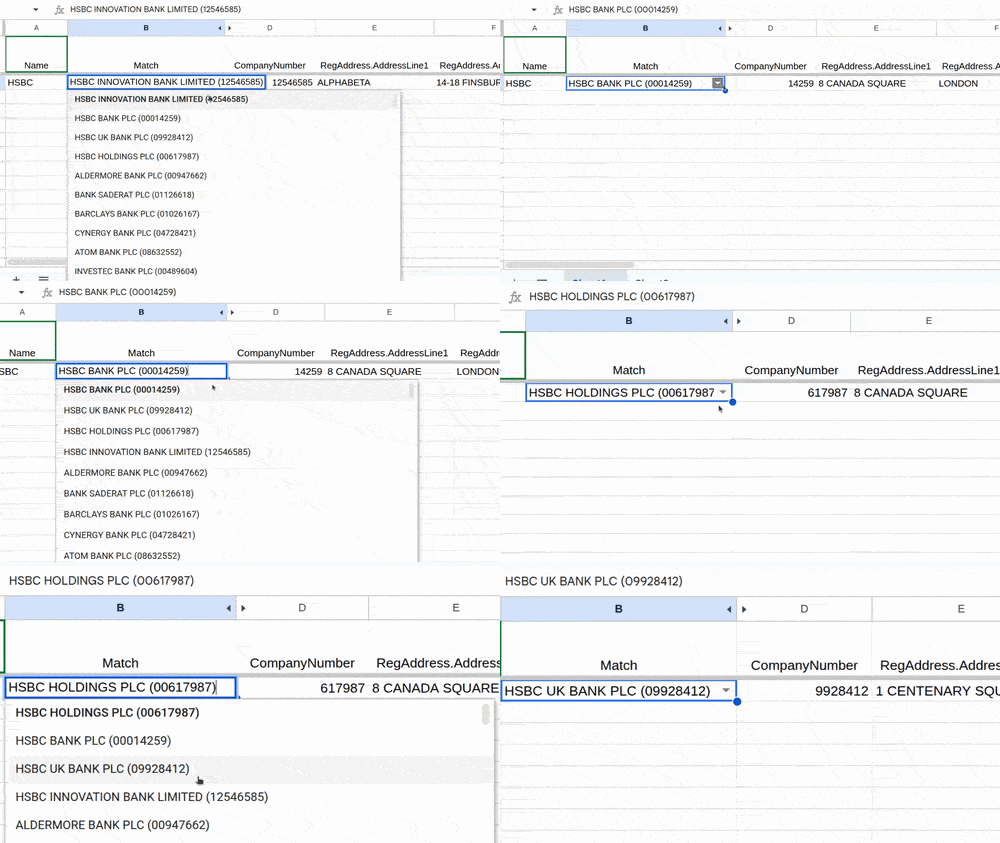
} Fast Data Science are pleased to announce we have updated the UK Company Details Google Sheets™ plugin. The plugin allows you to retrieve details such as company number, incorporation date, address, and directors’ details from Companies House (the UK company registry) and automatically populate them in columns of a Google Sheets™ spreadsheet.
What we can do for you